
Android Auto’s Game-Changer: How Custom Shortcuts Outsmart CarPlay
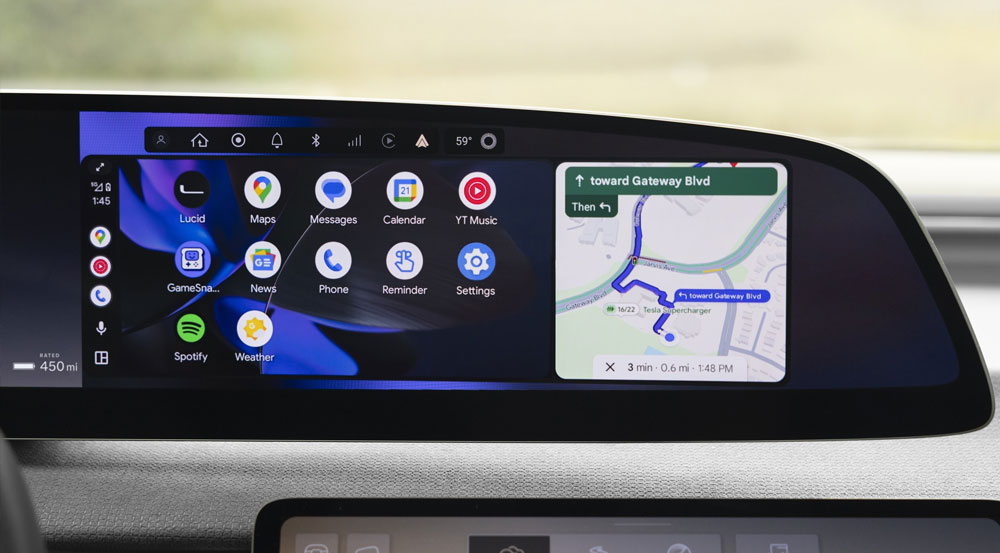
While Apple CarPlay is celebrated for its sleek, intuitive design, Android Auto has a powerful productivity feature that gives it a distinct advantage for drivers who want more control: Custom Assistant shortcuts on the launcher.
Unlike CarPlay, which relies heavily on Siri, Android Auto allows you to place custom buttons directly on your car’s screen. With one tap, you can execute a complex sequence of actions—like opening your garage door, adjusting your home thermostat, and texting your spouse your ETA—without saying a word.
Why This Beats Voice Commands
The promise of “just use your voice” often falls short in real-world driving:
Social Disruption: Issuing voice commands interrupts conversations with passengers.
Unreliable Performance: Background noise, poor connectivity, or a missed trigger can cause failures, leading to repetition and frustration.
Lack of Control: In CarPlay, Siri is the mandatory gateway for automation, with no option to place a one-tap shortcut on the dashboard.
Android Auto’s launcher shortcuts solve this by moving key actions from voice to a reliable, silent tap. This isn’t just a convenience—it’s a way to minimize distraction and reclaim focus on the road.
For power users seeking efficiency, this feature makes Android Auto a smarter co-pilot, proving that sometimes the best interface is a simple button, not a voice command.
You might also like


- None
- CONTACT INFO
-
Address:B920 Yousong Tech Building, Donghuan 1st Road, Longhua District, Shenzhen China 518131
Email:sales@kremersino.com
Skype:2418489304@qq.com
Telegram:@MichaelKremersino
WhatsApp:+86 18565773365
- ABOUT US
- Company Profile FAQ Video Technology
