
iOS 26 CarPlay: How to Use Apple Music’s New ‘Pins’ Feature for One-Tap Playback in Your Car
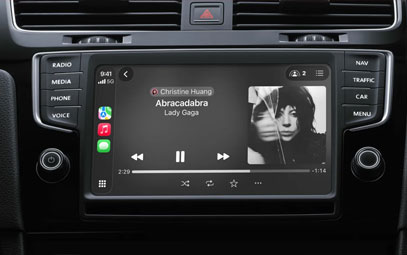
Apple Music just got a major upgrade for drivers. With the release of iOS 26, CarPlay now supports music pins—a simple but powerful way to access your favorite artists, albums, playlists, and songs with just one tap. Here’s everything you need to know about using pins in CarPlay.
What Are Apple Music Pins?
Pins let you “stick” up to six music items to the very top of your Apple Music library. Instead of scrolling or searching while driving, you can instantly tap what you want to hear. This feature is part of iOS 26 and works seamlessly with CarPlay.
Key benefits:
Faster access to frequently played music
Less distraction while driving
Optional one-tap playback – no extra taps required
How to Set Up Music Pins for CarPlay
Setting up pins takes less than a minute. Follow these steps on your iPhone:
Open the Apple Music app.
Long-press any artist, album, playlist, or song.
Tap Pin from the pop-up menu.
Go to the Library tab. Your pinned item will appear at the top.
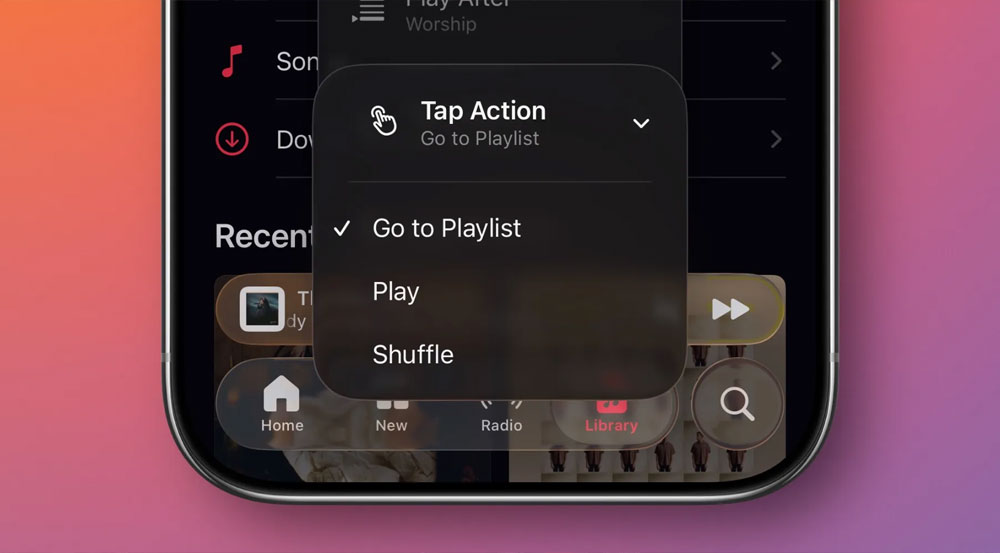
Long-press the pinned item and change Tap Action to Play for one-tap playback.
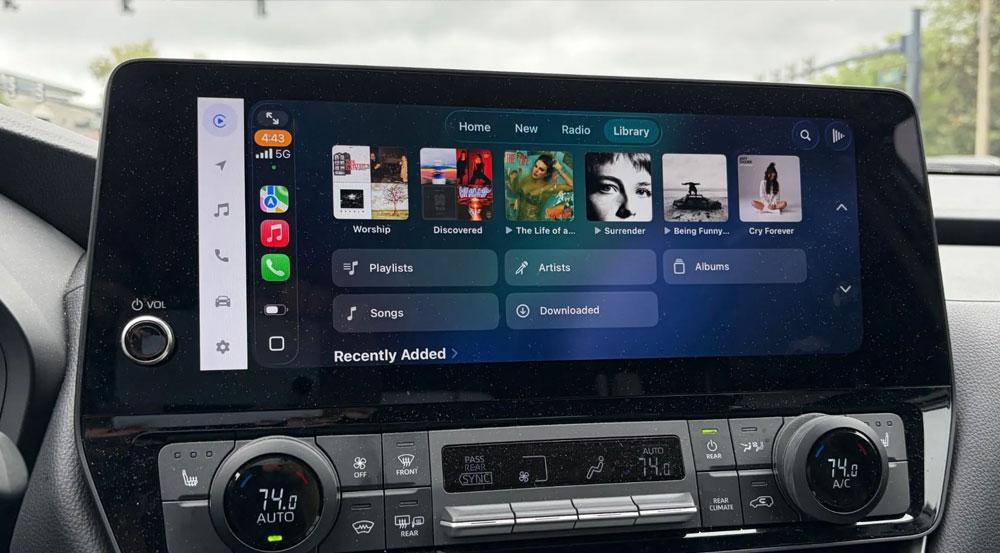
Once configured, your pins will automatically sync to CarPlay. When you open Apple Music in your car, all pinned items will appear at the top of the screen—ready to play with a single tap.
Why This Matters for CarPlay Users
Driving requires focus. Tapping through multiple screens to find the right playlist or album is not only inconvenient—it’s unsafe. With pins, you reduce the time your eyes are off the road.
You can still use Siri for voice control, but pins offer a reliable, visual shortcut that works even in poor connectivity or noisy environments where Siri might struggle.
Current Limitations (And What We’d Like to See Next)
While pins are a great addition, there’s room for improvement:
Only 6 pins allowed – Many users want 9, similar to the Messages app.
No pin folders or categories – A “recent pins” or “pin groups” feature would be useful.
Despite these limits, pins are already one of the best CarPlay features introduced in iOS 26.
Final Verdict: A Small Change That Makes a Big Difference
Apple Music pins may seem minor, but for anyone who spends time driving, they’re a game-changer. They reduce distraction, save time, and give you more control over your in-car listening experience.
If you haven’t tried pins yet, set them up today—your commute will thank you.
You might also like



- None
- CONTACT INFO
-
Address:B920 Yousong Tech Building, Donghuan 1st Road, Longhua District, Shenzhen China 518131
Email:sales@kremersino.com
Skype:2418489304@qq.com
Telegram:@MichaelKremersino
WhatsApp:+86 18565773365
- ABOUT US
- Company Profile FAQ Video Technology
