
Complete Guide to Installing CarPlay in the Volvo V40: Giving the Classic Nordic Cabin a Smart New Life

1. Why Does the Volvo V40 Need a CarPlay Upgrade?
The factory‑fitted Sensus infotainment system in the Volvo V40 (2012‑2019) is known for its simplicity, but it lags significantly in smart connectivity:
Slow and paid map updates for navigation
Only basic Bluetooth calling, no music streaming support
Lack of smartphone integration, still relying on phone mounts
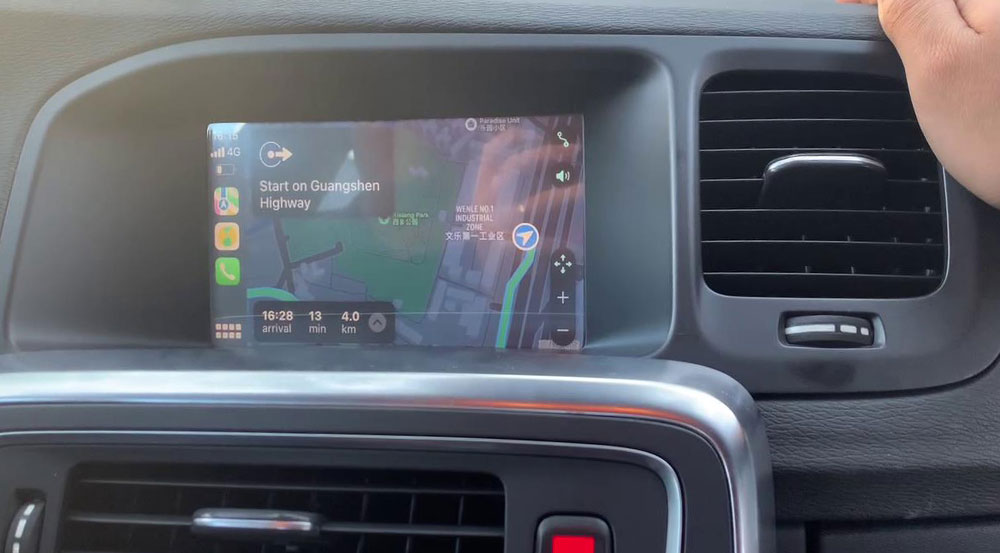
A CarPlay upgrade brings three core improvements:
Real‑time navigation: Live traffic with Amap/Baidu Maps/Apple Maps
Full ecosystem entertainment: Lossless playback via Apple Music/QQ Music/NetEase Cloud Music
Voice‑safe interaction: Siri voice control reduces driving distraction
2. Comparison of Three Upgrade Solutions
Solution A: Wireless CarPlay Decoder (Recommendation: ★★★★★)
Cost: ¥1,800 – ¥2,800
Advantages: Plug‑and‑play / wireless connection / retains all original functions
Suitable for: Owners seeking a complete experience
Purchase Link:Volvo V40 Apple Carplay Module
Solution B: Wired CarPlay Activation (Recommendation: ★★★☆☆)
Cost: ¥800 – ¥1,500
Advantages: Lower cost / strong stability
Limitations: Requires data cable connection
Solution C: Head Unit Replacement (Recommendation: ★★☆☆☆)
Cost: ¥4,000 – ¥6,000
Advantages: Comprehensive functionality
Disadvantages: Loss of some factory design elements
3. Installation Process and Precautions
Four‑Step Professional Installation:
System backup: Read original vehicle coding data
Hardware installation: Remove center console panel → connect decoder → conceal wiring
System debugging: Programming activation → function matching
Comprehensive testing: Connection stability / audio quality / original functions
Safety Reminders:
Disconnect the negative battery terminal before installation
Use Volvo‑specific plastic pry tools to avoid interior scratches
Route wiring away from airbag deployment zones
4. Measured User Experience Data
Connection Performance:
Cold‑start connection: 12‑18 seconds
Wireless transmission delay: < 0.3 seconds
Signal stability: Zero disconnections over 8 hours of continuous use
Audio Performance:
Standard audio: ~25% sound quality improvement
Harman Kardon system: Supports Apple Music Spatial Audio
Microphone call quality: 40% better noise reduction
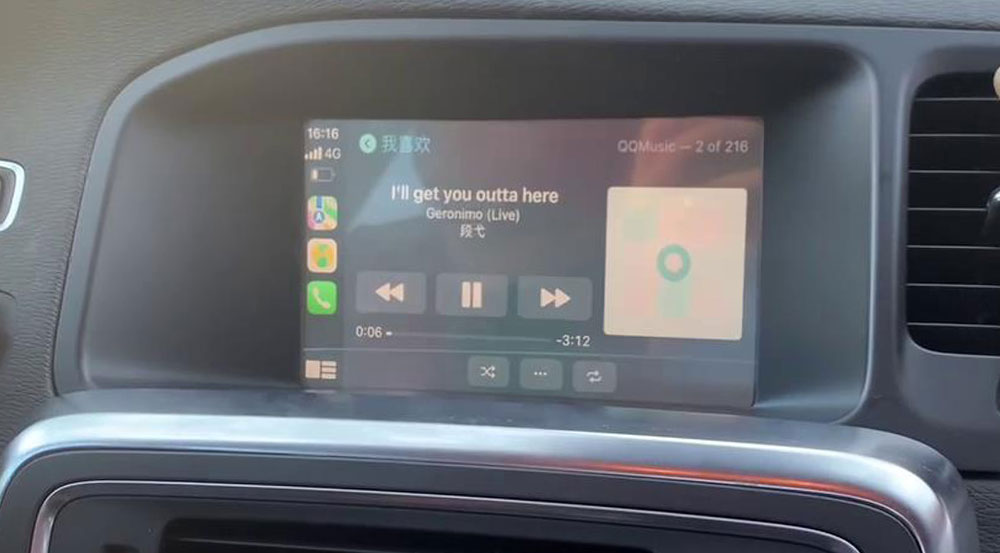
5. Frequently Asked Questions
Q1: Does it affect the original vehicle warranty?
A: Non‑destructive installation solutions do not affect the powertrain warranty, but infotainment‑related faults may require removal of aftermarket components first.
Q2: Does wireless connection drain the battery?
A: Decoder standby power consumption is < 0.5W – negligible impact on the vehicle battery.
Q3: Can I still use the factory voice control?
A: Switching between “Siri” and the factory voice system is possible via the steering wheel button.
Q4: How to switch devices for multiple drivers?
A: The system supports memory for 3 devices and automatically recognizes the most recently connected phone.
You might also like


- None

- CONTACT INFO
-
Address:B920 Yousong Tech Building, Donghuan 1st Road, Longhua District, Shenzhen China 518131
Email:sales@kremersino.com
Skype:2418489304@qq.com
Telegram:@MichaelKremersino
WhatsApp:+86 18565773365
- ABOUT US
- Company Profile FAQ Video Technology
