
Tesla Model S Model X CarPlay Installation Guide: Seamless Dual-Ecosystem Integration
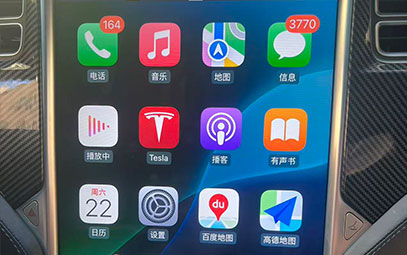
Why Install CarPlay in Your Tesla?
Tesla's native system lacks:
Real-time navigation alerts (speed cameras, traffic restrictions)
Deep integration with Apple Music and QQ Music Lossless
Direct WeChat location sync to navigation
Advanced Chinese voice command recognition
CarPlay adds:
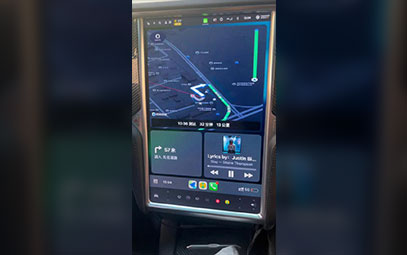
✅ Dual navigation – Waze/Google Maps alongside Tesla maps
✅ Full Apple ecosystem – Music, Calendar, Messages integration
✅ Enhanced Siri – Multi-turn dialogue and complex commands
✅ Screen mirroring – Video apps and games while parked

Compatibility & Solutions
Models: 2016‑2023 Model S Model Y
Key Features & Performance
Split‑screen display: CarPlay navigation + Tesla energy monitor
Voice control: Steering wheel button toggles Tesla voice / Siri
Connection: Auto‑connects in 8‑12 seconds after unlock
Audio: Apple Music Lossless through Tesla's 22‑speaker system
Power use: <3W standby, 5‑8W active
Installation & Safety
Enter Service Mode, disconnect low‑voltage battery
Connect via Tesla‑specific harness (no wire cutting)
Route video through LVDS, audio via AUX/fiber optic
Calibrate touchscreen and scroll wheel controls
Full system diagnostic scan post‑installation
You might also like


- None

- CONTACT INFO
-
Address:B920 Yousong Tech Building, Donghuan 1st Road, Longhua District, Shenzhen China 518131
Email:sales@kremersino.com
Skype:2418489304@qq.com
Telegram:@MichaelKremersino
WhatsApp:+86 18565773365
- ABOUT US
- Company Profile FAQ Video Technology
